Contact the Author
Please Sign In to contact this author.
15 DAYS MONEY BACK GUARANTEE
SnapShop 1.0.1 – Full-Stack eCommerce Platform (Next.js 16 + MongoDB)
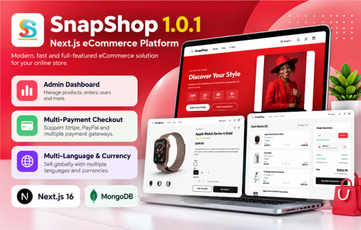
SnapShop is a modern, full-stack eCommerce platform for launching an online store quickly. It combines a fast, fully responsive storefront with a powerful admin dashboard, secure authentication, multiple payment gateways and AI-powered translations in one TypeScript code base.
It is built with Next.js 16 (App Router), React 19, TypeScript, Tailwind CSS 4 and MongoDB (Mongoose), and suits fashion, electronics, cosmetics, furniture, grocery, book and general online shops.
Key Features
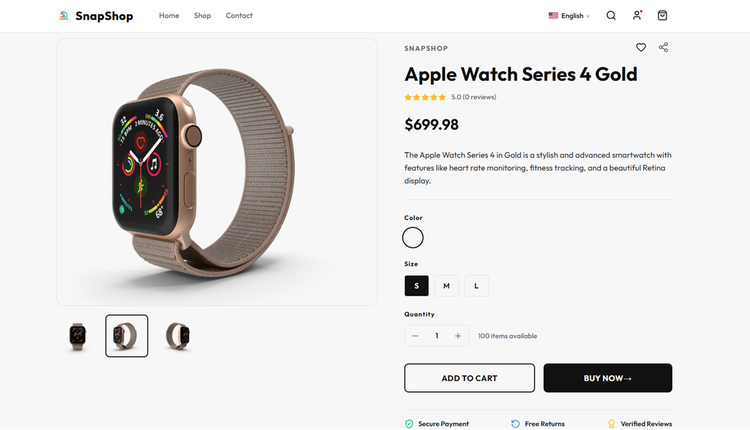
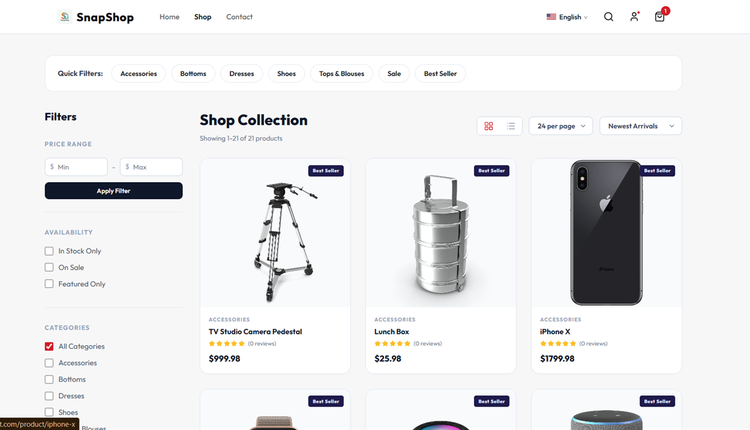
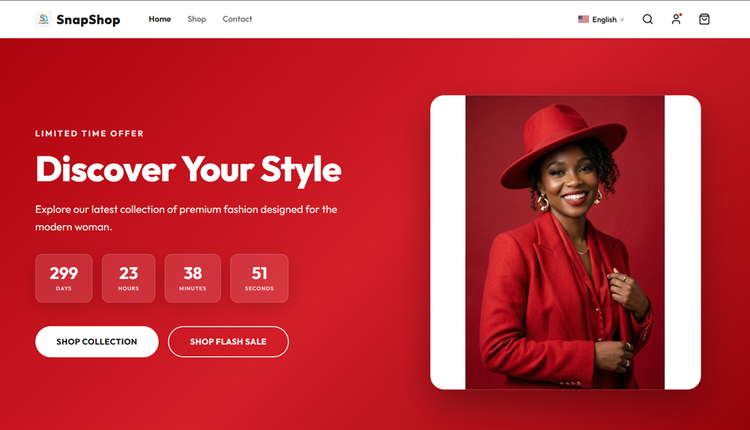
- Responsive storefront – home page with hero and flash-sale countdown, shop catalog with quick filters, price/availability/category filters, sorting and grid/list layouts, product details with variations (sizes, colors) and image gallery.
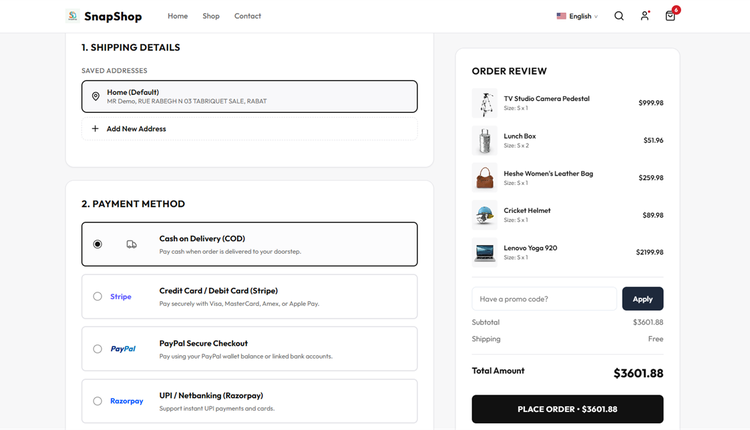
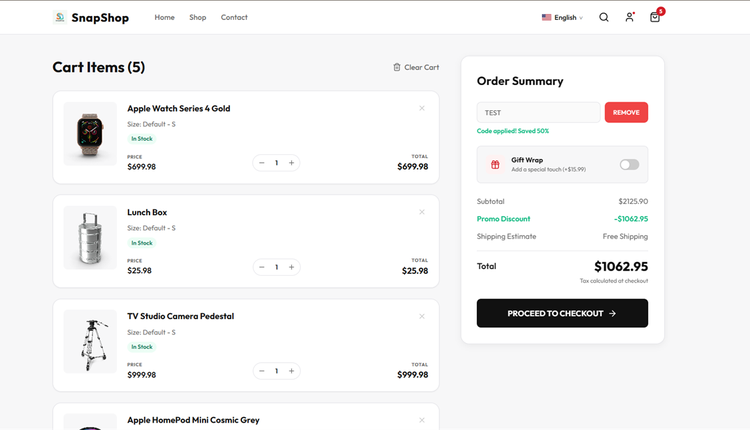
- Wishlist, shopping cart, coupons and discounts, gift wrap option and a multi-step checkout with saved addresses.
- Product reviews and ratings, advanced product search and SEO-friendly URLs.
- Admin dashboard – sales overview, products, product bundles, categories, collections, brands, sizes, colors and product templates.
- Inventory management, product import/export and a built-in AliExpress product importer.
- Order management – view orders and invoices, update payment and shipping status, refunds, returns, batch processing and sales reports; customers are notified by e-mail on shipping status changes.
- Customers, marketing (coupons, flash sales), blogs, custom pages and a mailbox for contact messages.
- Shipping and geography – shipping zones and shipping costs calculated at checkout.
- Payment gateways: Stripe, PayPal, Razorpay and Cash on Delivery.
- Authentication: e-mail and password, Google, Facebook, Apple and phone login (via Firebase, optional).
- Global selling: multi-language, multi-currency and RTL support with AI auto-translation (OpenAI, Google Gemini or Groq).
- Cloud storage: local, Amazon S3, DigitalOcean Spaces, Google Cloud Storage or Backblaze B2.
- Store settings: store name, logo, favicon, currency, SEO meta tags, themes and brand colors, footer content and HTML e-mail templates – all from the admin panel.
- REST API endpoints for mobile apps.
- Demo mode to protect a public live preview.
- One-click installation wizard.
Requirements
- Node.js 20 LTS or newer (npm 10+)
- MongoDB 7.0+ (local server or MongoDB Atlas)
- About 2 GB RAM for the build step
- A VPS, or a host with Node.js app support (this is not a PHP/MySQL script)
- Reverse proxy (Nginx/Apache) for production
- Outbound HTTPS (license verification and optional payment/AI APIs)
- A valid purchase code – the installation wizard verifies it online with the author's license server, and the admin panel stays locked until a license is activated
What's Included
- Complete SnapShop 1.0.1 source code (storefront, admin dashboard, API and installer)
- package.json and package-lock.json for a reproducible npm ci install
- .env.example configuration template
- Step-by-step INSTALL.txt guide for VPS (Ubuntu/Debian) and cPanel with Node.js App support
- No database dump needed – the wizard creates the MongoDB collections
Installation Summary
- Install Node.js 20+ and MongoDB 7+ (or create a MongoDB Atlas cluster) and create a database user.
- Upload and extract snapshop-101-ready.zip.
- Copy .env.example to .env and set NEXT_PUBLIC_API_URL, MONGODB_URI and a long random JWT_SECRET.
- Run npm ci and npm run build, then start the app (for example with PM2) behind Nginx.
- Open your domain to start the /install wizard: License (purchase code), Database test, Install tables, Store and Admin account.
Default Login
There is no default login: you create the admin username, e-mail and password in the last step of the installation wizard, after the license step.
Important: a valid purchase code is required to install SnapShop and unlock the admin panel.