Contact the Author
Please Sign In to contact this author.
15 DAYS MONEY BACK GUARANTEE
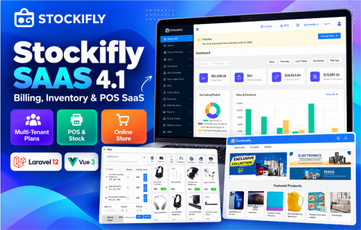
Stockifly SAAS 4.1.0 – Billing, Inventory Management with POS and Online Shop
Stockifly SAAS is the multi-tenant SaaS edition of Stockifly, a billing and inventory management application for small to large businesses. Run it as your own SaaS: companies sign up, choose a subscription plan and get a complete business back office with POS, inventory, sales, purchases, accounting, HRM, reports and their own online store.
Version 4.1.0 is built on Laravel 12 (PHP 8.2+) with a fast Vue 3 + Ant Design single-page interface and includes a built-in web installer.
Super Admin (SaaS) Features
- SaaS dashboard with total, active and inactive companies and expired licenses.
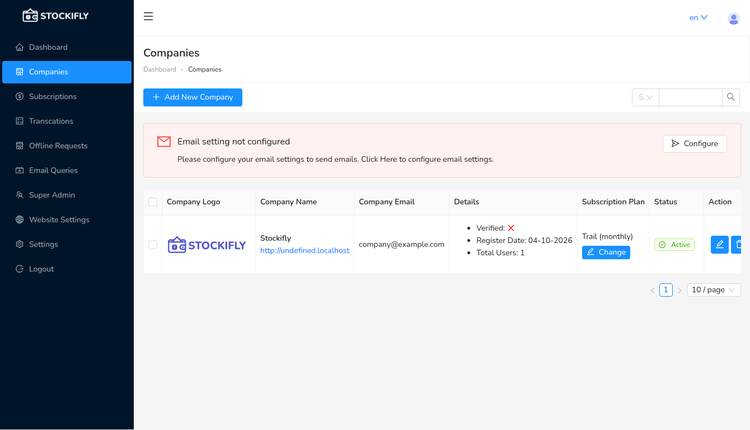
- Company management – add companies, change their subscription plan, activate or deactivate them; companies can also register themselves.
- Subscription plans (monthly and annual) with a trial plan.
- Subscription payments with Stripe, PayPal, Razorpay, Paystack, Mollie and Authorize.net, plus offline payment modes and offline request approval.
- Payment transactions, e-mail queries, super admin users and website (landing page) settings.
- White-label, currency, e-mail, storage, translations, database backup, modules and app update settings.
Company (Tenant) Features
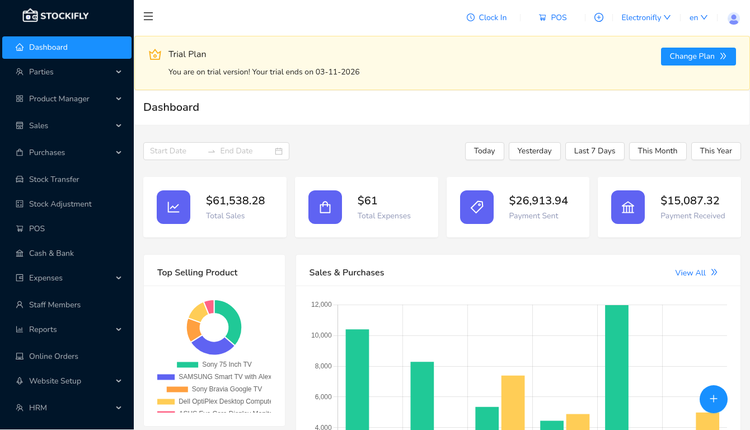
- Dashboard with date filters (today, yesterday, last 7 days, this month, this year), sales and purchase charts, top selling products, stock alerts, recent stock history and payments.
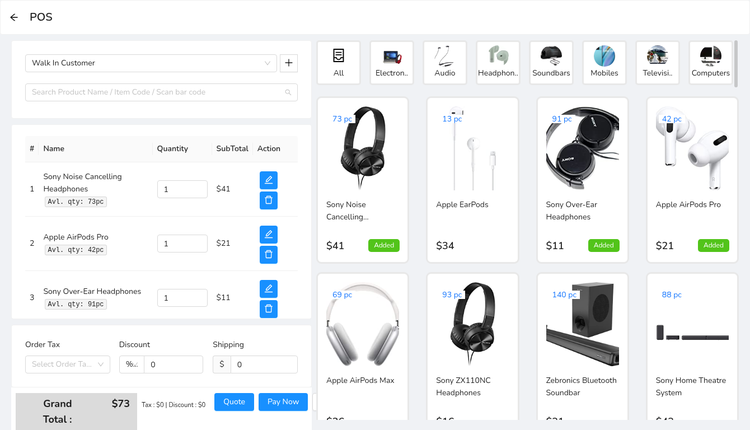
- POS – fast point-of-sale screen with category tabs, product search and barcode scanning, discounts, order tax, shipping, quotations and direct invoice printing.
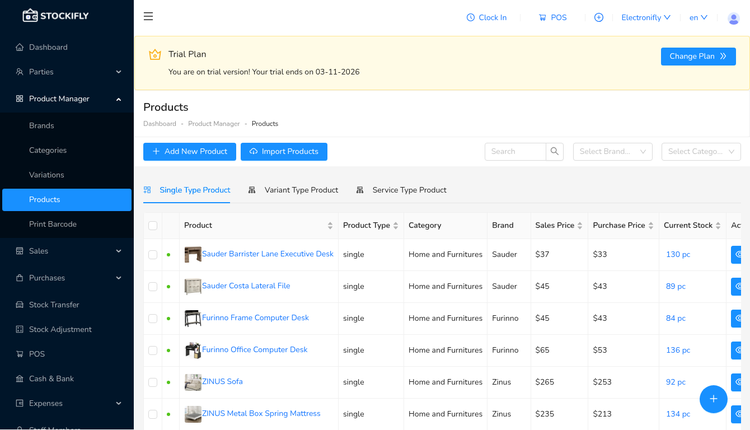
- Product manager – single, variant and service type products, brands, categories, variations, units, product import and barcode printing (EAN8, EAN13, UPC).
- Sales, sales returns, quotations and estimates; purchases and purchase returns with paid/due tracking.
- Multiple warehouses/stores, stock transfers between warehouses and stock adjustments.
- Parties – customers and suppliers with balances and payment history.
- Cash and bank – payments in and out, payment modes.
- Expenses and expense categories.
- Reports – payments, stock alert, sales summary, stock summary, rate list, product sales summary, users, cash and bank, expenses and profit and loss.
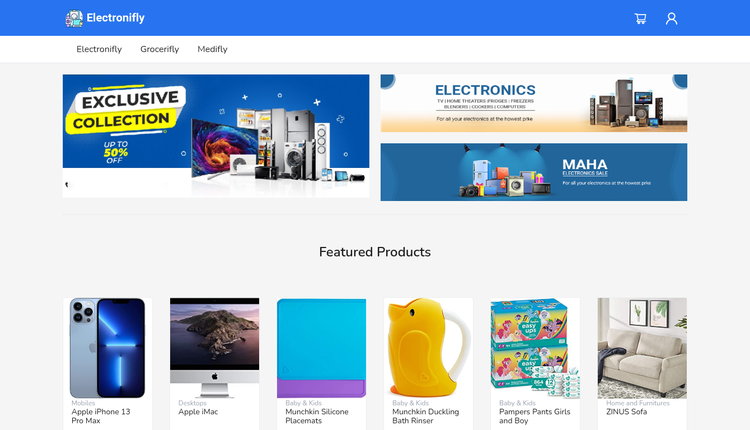
- Online orders and a built-in online store for every warehouse (storefront, cart, checkout and customer orders), with website and product card setup.
- HRM – staff members, departments, designations, shifts, attendance and clock in/out, leaves, holidays, payroll, pre-payments, increments, awards and appreciations.
- Staff members with roles and permissions, taxes, currencies, custom fields, multiple languages and translations, PDF invoices and e-mail settings.
Requirements
- PHP 8.2 – 8.4 (tested on 8.4)
- PHP extensions: bcmath, ctype, curl, dom, fileinfo, gd, intl, json, mbstring, openssl, pdo, pdo_mysql, tokenizer, xml, zip
- MySQL 5.7+/8 or MariaDB 10.4+
- Apache (mod_rewrite) or Nginx (IIS web.config included)
- Writable storage/, bootstrap/cache/, public/uploads/ and .env
- Cron job for scheduled tasks
- Outbound HTTPS – the admin panel verifies your purchase code / domain with the author's server
What's Included
- Full Stockifly SAAS 4.1.0 source code (Laravel 12 + Vue 3)
- vendor/ folder with all PHP dependencies – no Composer needed (verified against the official package sources)
- Pre-built front-end assets in public/build – no npm or Node needed
- Built-in web installer that runs the migrations and seeders – no SQL dump needed
- .env.example ready for SaaS mode
- Step-by-step INSTALL.txt guide for shared hosting/cPanel and VPS
Installation Summary
- Upload and extract stockiflysaas-410-ready.zip, then point your domain's document root to the stockiflysaas/public folder.
- Create a MySQL/MariaDB database and user.
- Copy .env.example to .env, set APP_URL, APP_KEY and JWT_SECRET (keep APP_TYPE="saas").
- Make storage/, bootstrap/cache/, public/uploads/ and .env writable.
- Open your-domain.com/install and follow the wizard (database, requirements, permissions, migrations).
- Log in at /admin/login, change the password and verify your purchase code.
- Add the cron job for php artisan schedule:run.
Default Login
Super admin: superadmin@example.com
Password: 12345678
Login URL: your-domain.com/admin/login
Important: change this password immediately after your first login. The installer itself does not ask for a purchase code, but the admin panel asks you to verify your Envato purchase code for your domain, so have it ready.